Great, but not great
Did you know you can set multiple custom opening tabs in Firefox? Go to Firefox > Settings... or type about:preferences into the address bar and navigate to the Home section to find this Homepage and new windows input:
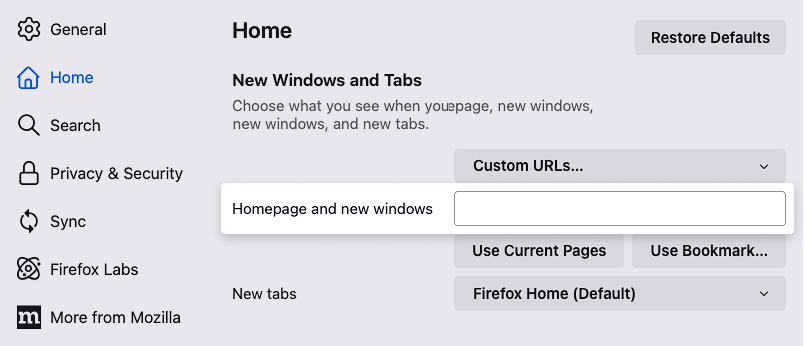
Here you can add custom URLs divided by a "pipe" symbol (this one | here) to open multiple pages on browser start.
It's a very convenient feature, but the usability is quite poor. Editing URLs and identifying "pipes" in between uppercase I and lowercase l characters in a single row input field is no fun. That's why I've built this little web tool here.
And if you're still here reading: I hope it helped! 🍻
Read the full story on Medium.